
Hold three seconds. Everyone who matters knows.
SOS is the resident app's direct line to the guard house — one channel for real emergencies and for everyday requests like calling a taxi or having an animal removed.
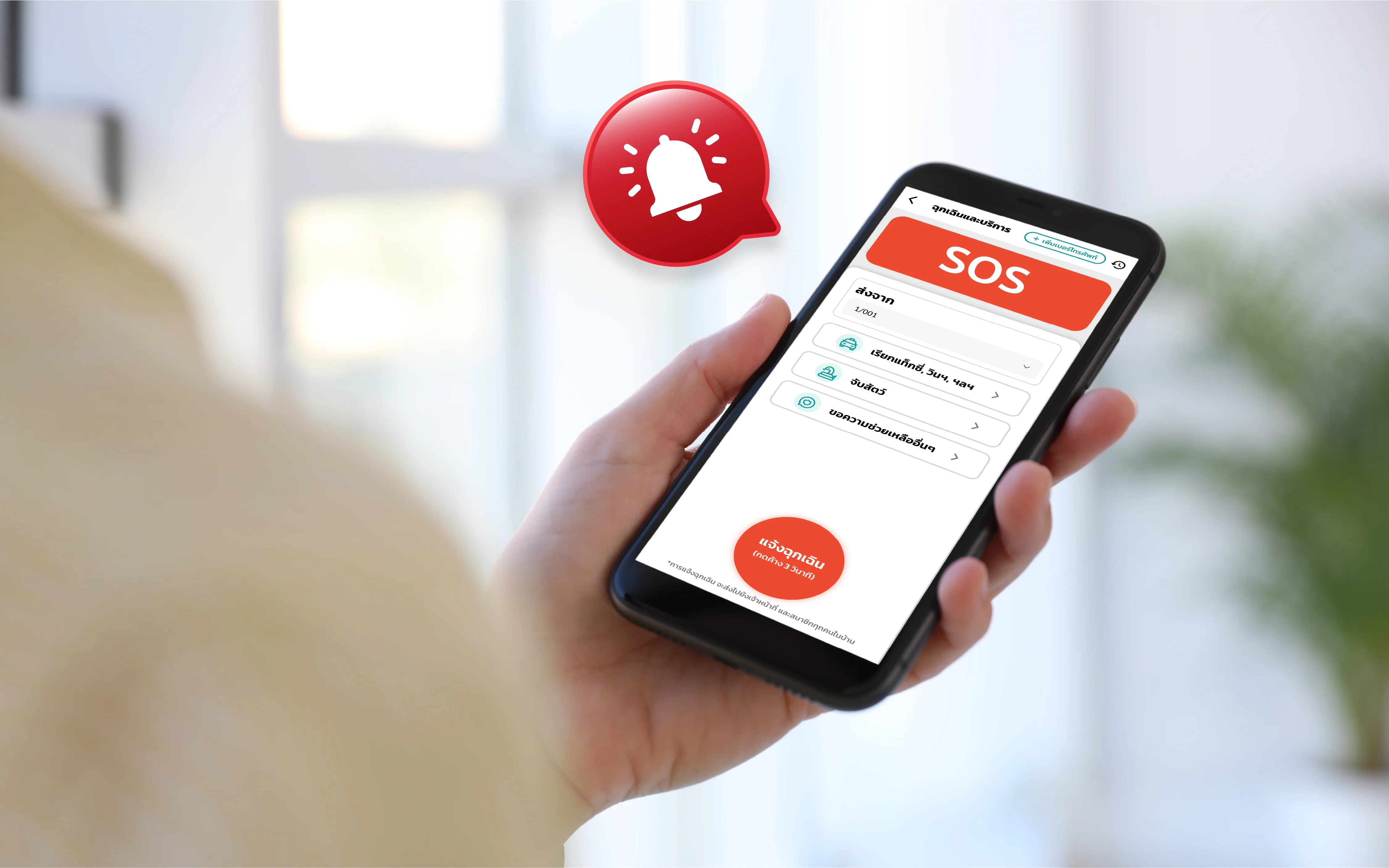
SOS is the resident emergency and service-request channel of The LivingOS, raised from the Urbanice app. Pressing and holding for three seconds alerts the guard house and every member of the household at once; the same queue also carries everyday requests such as calling a taxi or having an animal removed, with emergencies always sorted above them.
- A 3-second press and hold raises an emergency to guards and every household member.
- Emergencies always sort above other requests, with an acknowledge queue and a clear status.
- Auto-reports are sent to Telegram and email, with summary reports and a dashboard.
One channel, from a real emergency to a taxi
SOS covers both ends of the range — the alert nobody wants to send, and the small requests residents make every week. Both land in the same guard queue.
Emergency alert on a 3-second hold
A deliberate press-and-hold rather than a single tap — long enough that a pocket can't fire it, short enough to trigger under stress. The alert goes to the guards on duty and to every member of the household at once.
Service requests, not just emergencies
Residents pick a request type — call a taxi or motorbike, have an animal caught and removed, or anything else — so routine asks travel the same reliable path as urgent ones instead of a phone call nobody logs.
Emergencies always sort to the top
The guard queue ranks an emergency above every service request, so a busy shift can't bury the one alert that matters underneath a list of taxi bookings.
Acknowledge queue with a clear status
Guards work a queue split into pending, acknowledged and cancelled, and tap to acknowledge each item — so there is always a record of who picked up a request, not just that it was sent.
Auto-reports to Telegram and email
Every alert and request is pushed to the project's Telegram group and sent by email automatically, so the juristic office sees activity without logging in to check.
Summary reports and dashboard
Activity is summarised as Excel, PDF and an on-screen dashboard, giving the juristic office a record of what residents raised, how often, and how quickly it was picked up.
From the app to the guard house in three steps
- 1
Open SOS in the app
Residents tap Emergency & Services on the Urbanice home screen.
- 2
Pick a request type, or hold for an emergency
Choose a service — taxi, animal removal, other help — or press and hold the emergency button for three seconds.
- 3
Add the details and send
Fill in the unit, a contact number and what is needed. The request lands in the guard queue, where an emergency sits at the top.
- 4
Guards acknowledge it
The guard house sees the item as pending and taps to acknowledge, so the resident knows it was picked up.
How SOS works in the Urbanice app
Watch a resident raise a request from the app and the guard house pick it up — in under two minutes.
The call that always gets through
- Give residents one dependable way to reach the guard house, day or night, without hunting for a phone number
- Alert the guards and the whole household together, so nobody is relying on one person to pass the message on
- Keep routine service requests out of untracked phone calls and inside a system with a record
- Let the juristic office watch activity from Telegram and email without opening a dashboard
- Show every request's status — pending, acknowledged or cancelled — so nothing quietly goes unanswered
Ready to bring SOS to your community?
Talk to our team about adding SOS emergency and service requests to your project.
Frequently asked questions
What is the SOS feature?
SOS is the channel residents use to reach the guard house from the Urbanice app — both for emergencies and for everyday service requests such as calling a taxi or having an animal removed.
How does a resident raise an emergency?
They open SOS in the app and press and hold the emergency button for three seconds. The hold is deliberate: it takes real intent to fire, so accidental alerts from a pocket are rare.
Who gets notified when an emergency is raised?
The guards on duty and every member of that household are notified at the same time, so the household isn't depending on one person to relay it.
What kinds of service requests can residents send?
Residents choose a request type — call a taxi or motorbike, have an animal caught and removed, or other assistance — and add the details before sending it to the guard house.
How do guards know which request to handle first?
Emergencies always sort above service requests in the guard queue, and each item is worked as pending, acknowledged or cancelled so the status is always visible.
Does the juristic office get a record?
Yes. Every alert and request is pushed to Telegram and email automatically, and activity is summarised as Excel, PDF and a dashboard.